
Every aircraft, vehicle and tool, ready for the next departure.
VAMaintainly is Villa Air's maintenance system. It brings work orders, scheduled checks, spares, engineers' time and release to service into one place, for the hangar at Maamigili, the seaplane base at Velana and the airport's ground equipment.
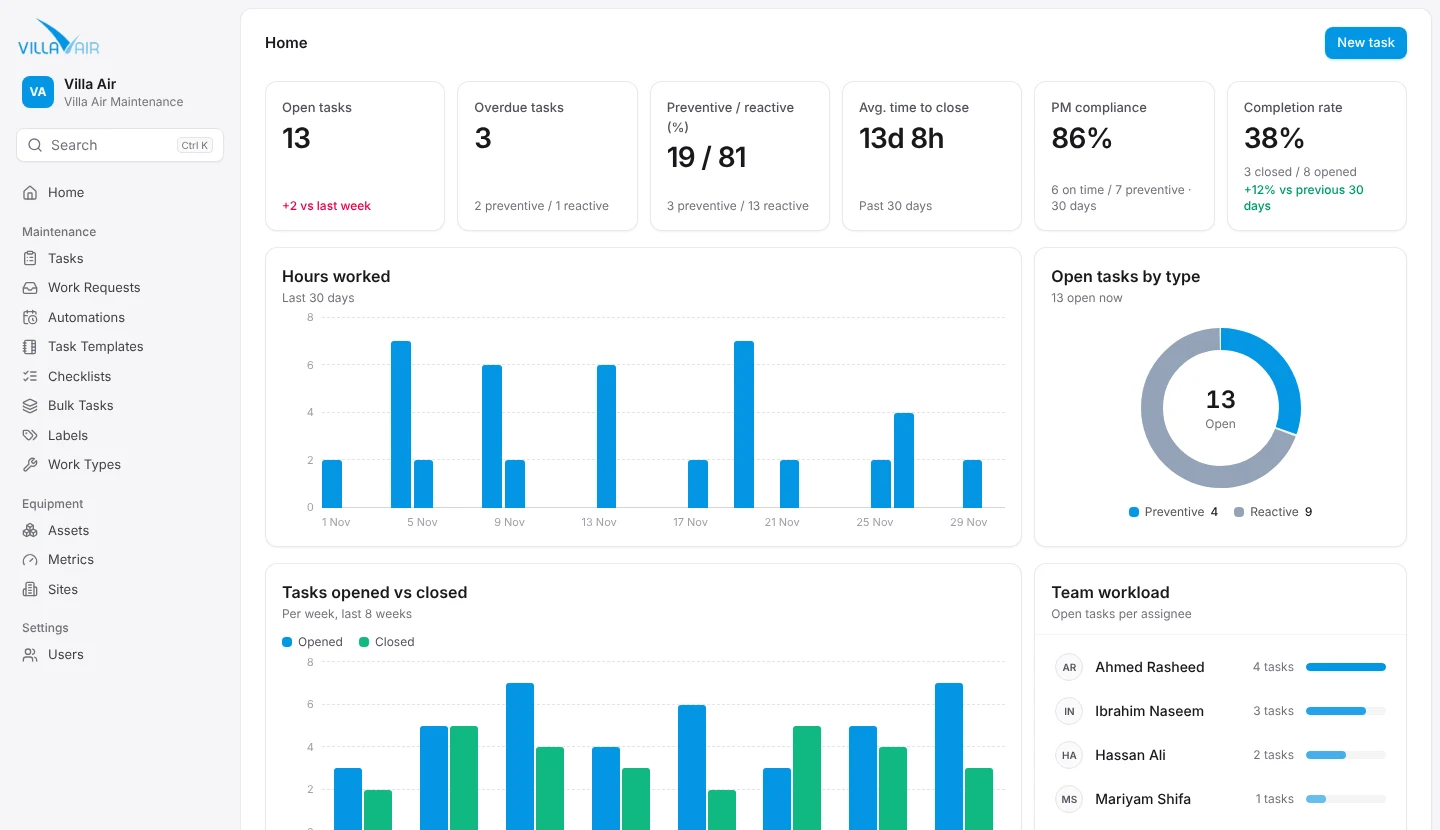
One system for everything we keep flying and moving
From defect report to release, in one place
Built around how our engineers and technicians actually work, on a desktop in the hangar office or a phone on the ramp.
Work orders
Every job tracked from the first report
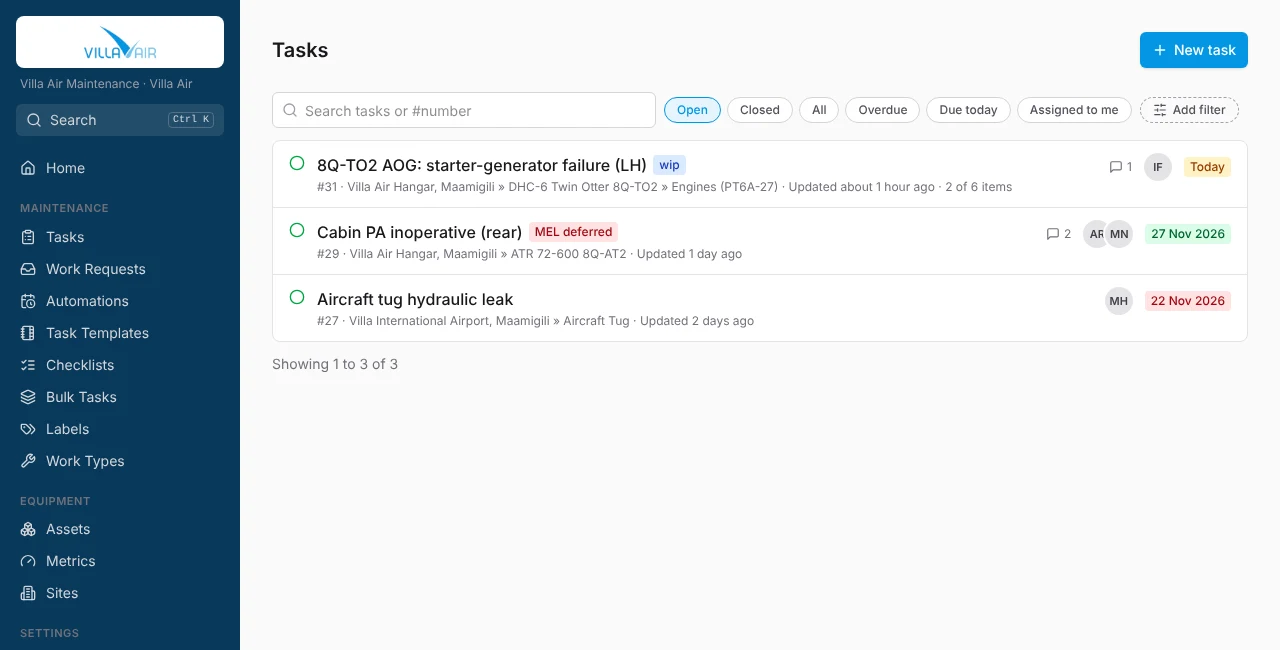
Raise a task against any aircraft, vehicle or piece of equipment, assign it, and follow it through comments, checklists, labour and downtime until it is closed.
- Filter by open, overdue, due today or assigned to me
- Labels for AOG, MEL deferred or waiting on parts
- Anyone can report a fault through a simple work request form
Preventive maintenance
Scheduled checks that never slip
Automations create tasks on a calendar or from meter readings such as flight hours, cycles or odometer, so inspections are raised before they fall due.
- Repeat by days, weeks, months or by hours and cycles
- Task templates with procedures and checklists
- PM compliance and upcoming work on the dashboard
Airworthiness
Release to service, signed by the right engineer
Aircraft tasks require a Certificate of Release to Service before they close. Only engineers with a valid licence and authorisation can sign, and every sign-off is recorded.
- Licence numbers and authorisations on each engineer
- Component changeouts record the part off and part on, with serials
- A complete history for every aircraft and component
Spares and inventory
Know what is on the shelf before the aircraft lands
Track spares and consumables across stores, use them on tasks, move them between Maamigili and Velana, and see what needs reordering.
- Low and critical stock alerts with reorder levels
- Transfers between stores and a full stock movement log
- Suppliers, part numbers and stock value
Everything the maintenance team needs
One login for engineers, technicians, stores and managers, with roles that decide who can do what.
Work orders
Tasks with checklists, comments, labour, downtime and labels.
Scheduled maintenance
Calendar and meter-based automations with templates.
Assets
Sites, aircraft, components and equipment in one tree.
Meter readings
Flight hours, cycles, odometer and hour meters.
Inventory
Stores, spares, transfers, suppliers and stock log.
CRS sign-off
Release to service by authorised engineers only.
Part swaps
Component changeouts with serials off and on.
Timesheets
Engineers' hours by work code, approved weekly.
Reports
Compliance, downtime, labour and cost, ready to export.
QR labels
Scan an asset to see its history or report a fault.
Files and photos
Attach manuals, photos and certificates to jobs.
Chat and alerts
Team chat, direct messages and alerts for due work.
Cycle counts
Blind counts of a few items at a time keep stock right.
Import and export
Bring assets and parts in from Excel, export any list.
On every phone
Install it on the home screen for work on the apron.
Help and training
Guides, glossary and training plans for every role.
Meet Archii, our maintenance assistant
Ask Archii a question in plain English, in a private chat or by mentioning @archii in a team chat, and get an answer drawn from the records in VAMaintainly.
- Ask anything. Open defects, upcoming checks, parts on hand or an aircraft's history, answered from our own records.
- Forecasts and projections. When checks will fall due at current utilisation, which spares will run low, and where labour hours are heading.
- Learns from past jobs. Suggests likely causes, steps and parts by finding similar closed work orders on the same fleet.
- Teaches the system. Explains any screen, term or formula from our own guides, walks you through a process like CRS sign-off, and can quiz you.
Help & Training
All collections › Reports › Reliability report
MTBF, MTTR and availability
ƒ MTBF (mean time between failures)
MTBF = Up time ÷ Number of failures
Worked example: 720 h period, 20 h down, 4 failures → (720 − 20) ÷ 4 = 175 h
Help and training, built in
New engineers and planners learn VAMaintainly inside the app. Every page has a ? button that opens its guide, and Archii answers from the same guides.
38 guides, every screen covered
What each field means, the rules behind it, and the step-by-step process, from raising a task to signing the CRS.
Every figure explained
PM compliance, MTBF, MTTR, availability, depreciation and overtime, each with its formula and a worked example.
Diagrams and a glossary
Workflows drawn out, and 80+ aviation and app terms from AOG to MEL, each linked to its guide.
Training plans by role
A course for technicians, certifying engineers, planners and admins, with questions and hands-on exercises.
How a job flows
Report
A pilot, driver or engineer reports a defect from a phone, or scans the QR label on the asset.
Fix
The job is assigned, parts are drawn from stores, and time and findings are logged against it.
Release
An authorised engineer signs the CRS and the asset's history is updated automatically.
Part of the Villa Air team?
Sign in with your work email. If you don't have an account yet, ask the maintenance manager to add you.
Sign in